¶ Email configuration for Microsoft Graph API (Microsoft 365 Email)
To send email using Microsoft 365 Email, you must configure email permissions in Microsoft Entra to allow PM8 to send email via the Microsoft Graph API.
Th following instructions and images are accurate at the time of writing but note that Microsoft may change the layout and wording at any time, and your permissions etc may alter what you see.
This is intended to be a guide only.
You must engage your Microsoft mail provider or IT company to assist with this configuration.
It is not a configuration that WH Software can assist with as it is outside the scope of the our product.
¶ Getting started
Open the Microsoft portal and sign in:
https://portal.azure.com/#blade/Microsoft_AAD_RegisteredApps/ApplicationsListBlade
¶ Steps
¶ New registration
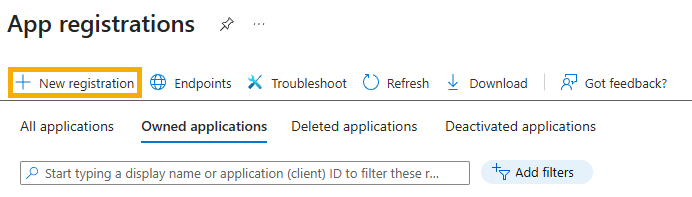
Click the New registration button.
Here is what it looks like:
¶ Register an application
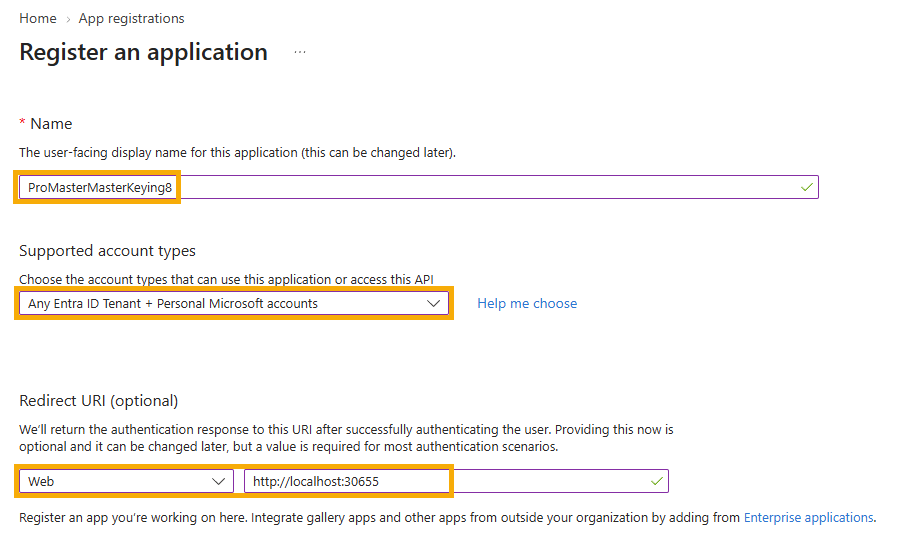
In the application registration:
- Give it a meaningful name such as ProMasterKeyManager8
- The account type must be Any Entra ID Tenant + Personal Microsoft accounts
- The redirect URL must be WEB with value http://localhost:30655
Here is what it looks like:
¶ Copy the Application (client) ID
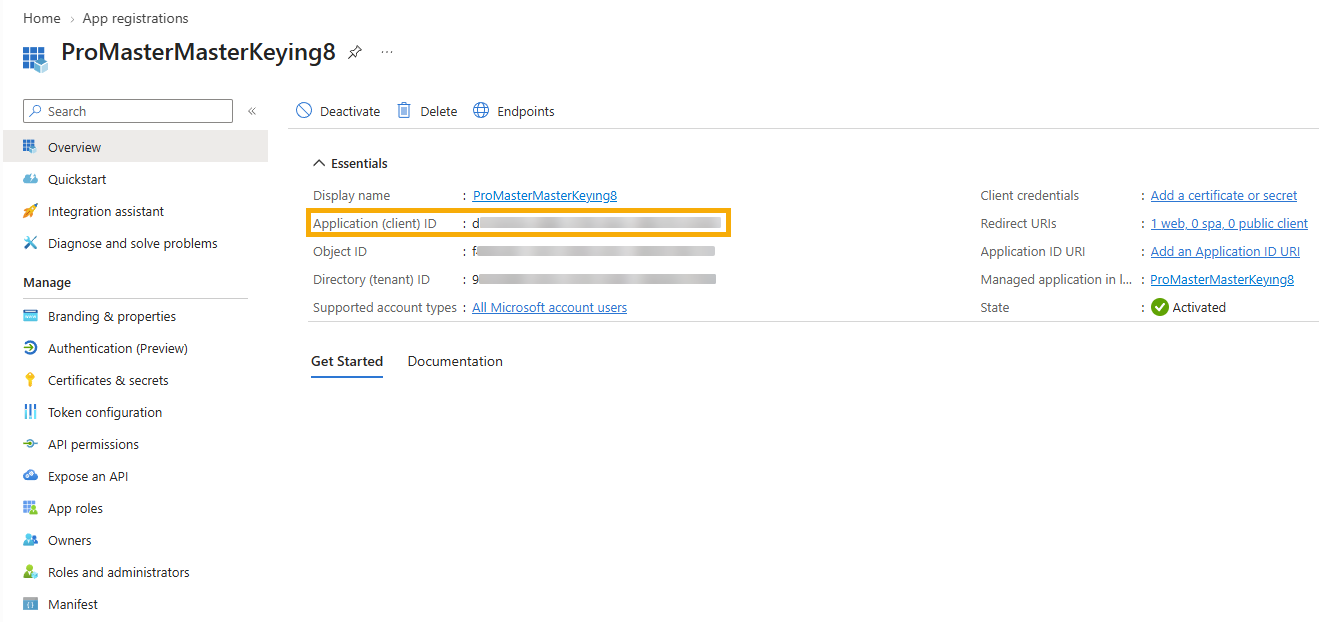
Copy the value of the field Application (client) ID. This is the value you need in the PM8 email configuration for Client ID.
Here is what it looks like:
¶ Certificates and secrets
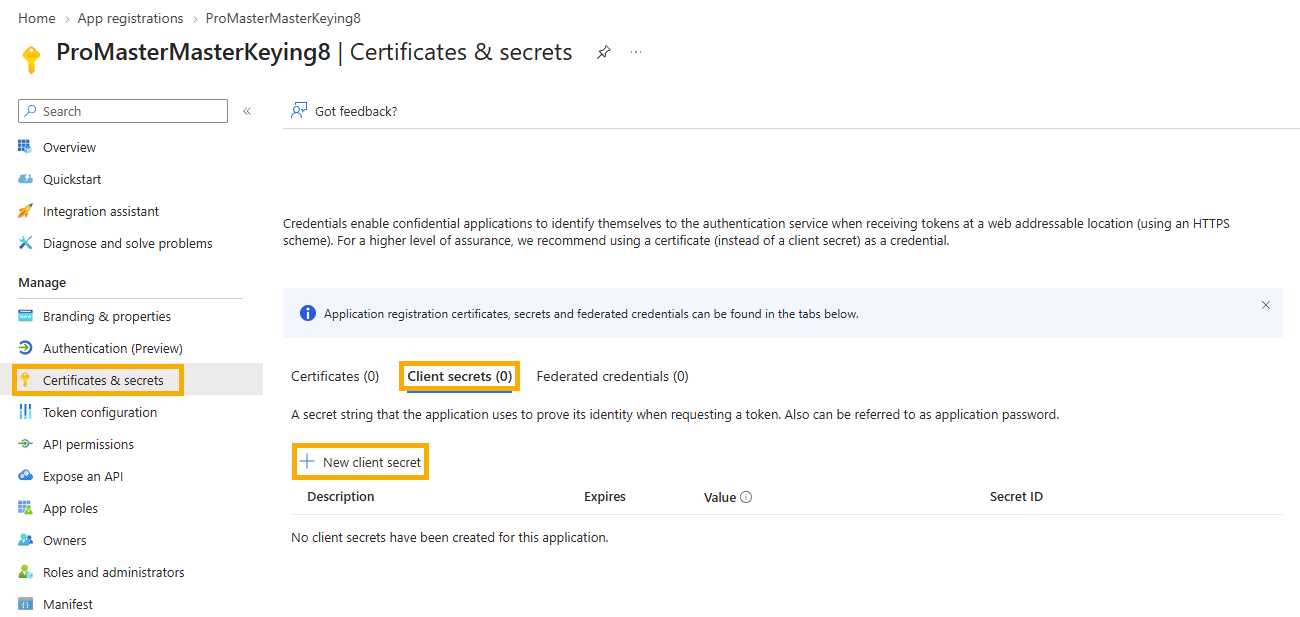
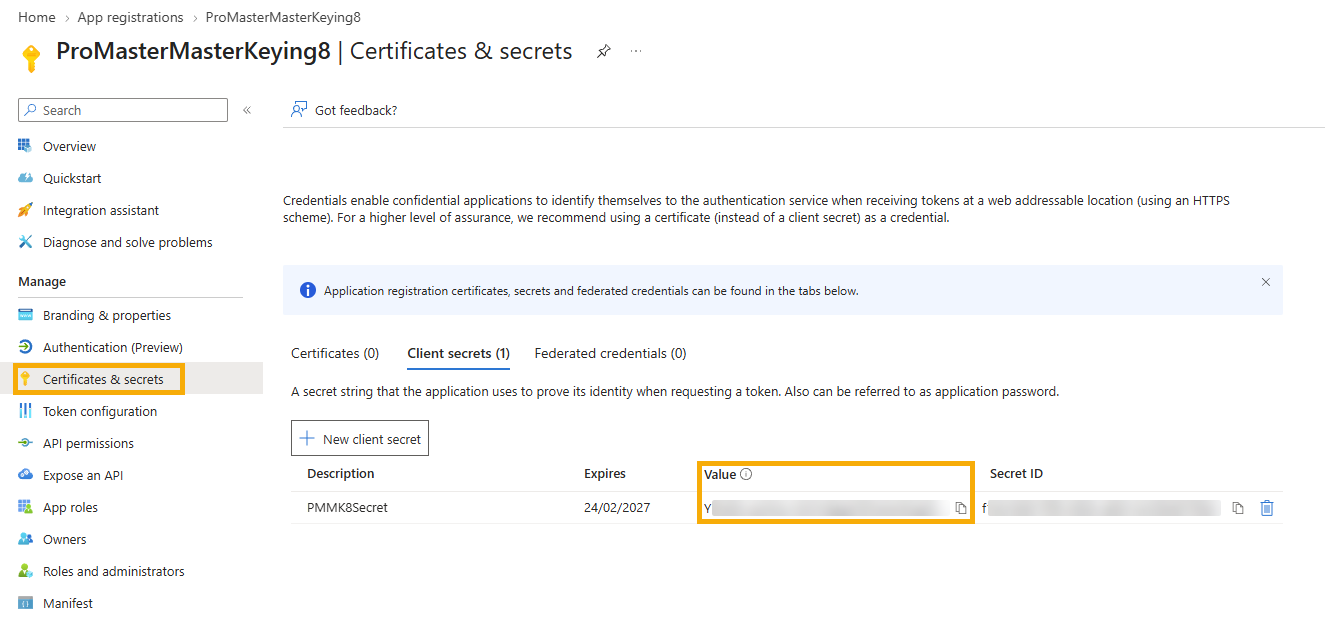
Under Manage, select Certificates & secrets.
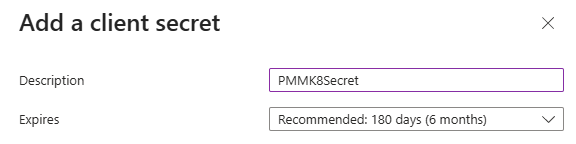
Click New client secret.
- Add a description of the secret.
- Choose the expiry date. It would be a good idea to pick the longest date allowed.
When the secret expires, your email in PM8 will stop functioning. PM8 is not permitted to access the secret expiry date (Hence PM8 cannot warn you) so you must manage this yourself and create a new secret then use it in PM8 to avoid disruption to your ability to send email.
Here is what it looks like:
After the secret is created, copy the value of the field Value. This is the value you need in the PM8 email configuration for the Secret.
The Value is displayed after you create it, but is never shown again. Make sure you copy it.
Here is what it looks like:
¶ API Permissions
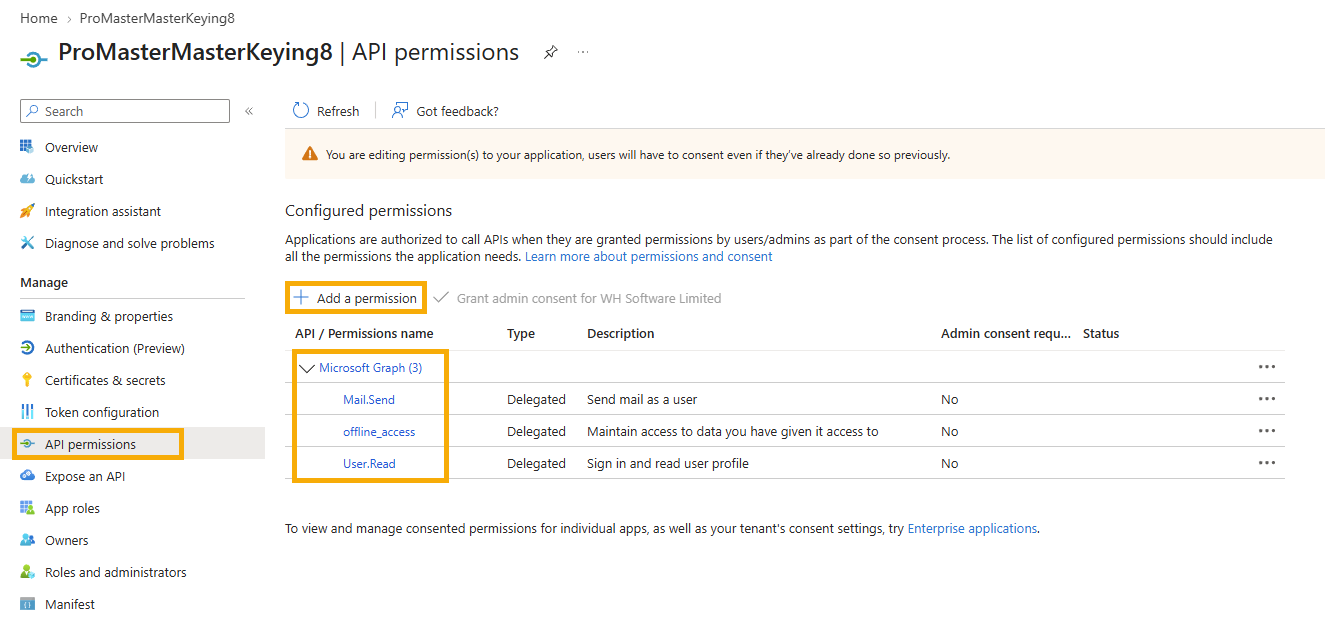
You must assign the Microsoft Graph permissions: User.Read, offline_access, Mail.Send
Click the Add a permission button, choose Microsoft graph, then search for and add each permission.
Here is what it looks like:
¶ Finishing the PM8 configuration
In PM8, use the values copied (Application/Client ID and Secret Value) in the email configuration for the corresponding user. When the user first sends email, they will be prompted in a browser to enter their Microsoft credentials to allow the Application Registration to be used.