¶ Question
What settings on these machines do I need to know about?
¶ Affected versions
IC Windows from Feb 2026
¶ Solution
¶ Cards
When InstaCode sends cutting instructions to any of these machines (Silca UnoCode F100/F400/F600/F800/F900, Silca QuattroCode D600/D700, Silca EvoX), we use the on-board data in the machine and send the cut values required for the key.
When the machine does not have the key information, then this is not possible.
If InstaCode tries to send to the machine but the key is not available on-board the machine, please ensure that your machine firmware is up to date.
From time to time Silca adds data to the machines that already exist in InstaCode, but we are not aware that the data has been added to the machine. If you encounter this situation, please contact us so we can amend the InstaCode data.
Some key data onboard the machines is locked and you must get authorisation from the lock manufacturer and also from Silca to have that key data unlocked on your machine. InstaCode cannot cut locked keys on these machines until you get them unlocked.
¶ Reference system
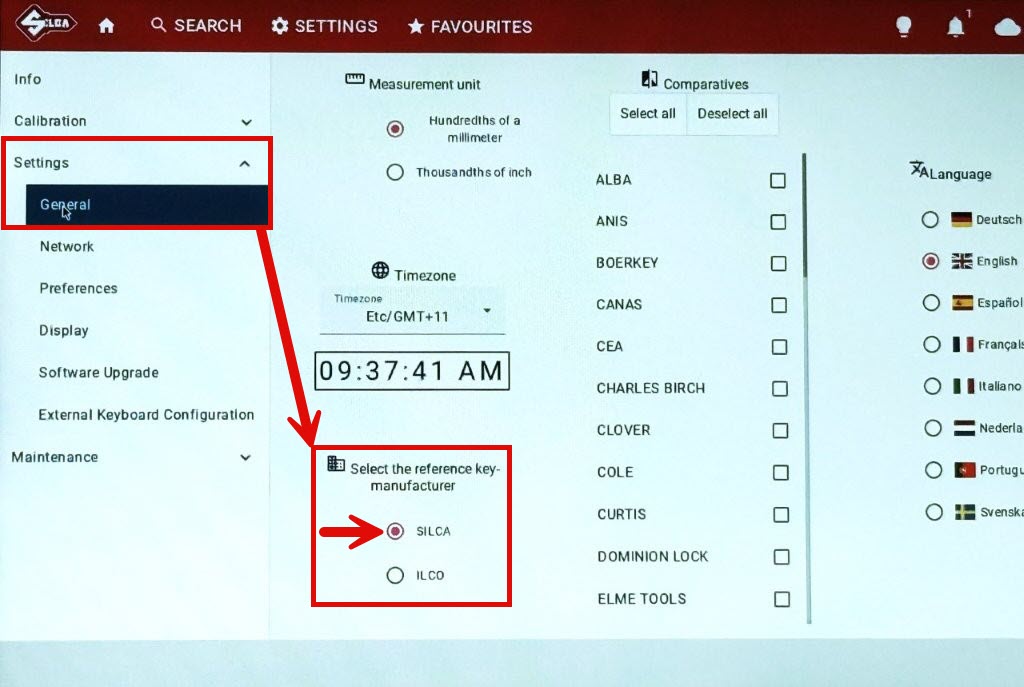
The machine has a setting for the card numbering system to choose Silca or Ilco.
All machine communication, from InstaCode and from Silca Key Programs PRO require you have this setting set to Silca. The Silca numbering system is more extensive.
If the setting is set to Ilco then the machine communication will not function.
Here is what it looks like in the machine settings:
¶ Machine queue
There are three download queues on these machines - Standard, OEM and SSI. Downloaded jobs appear in the SSI queue. Be sure to select the SSI queue on the machine to see your downloaded job.
Here is what it looks like:
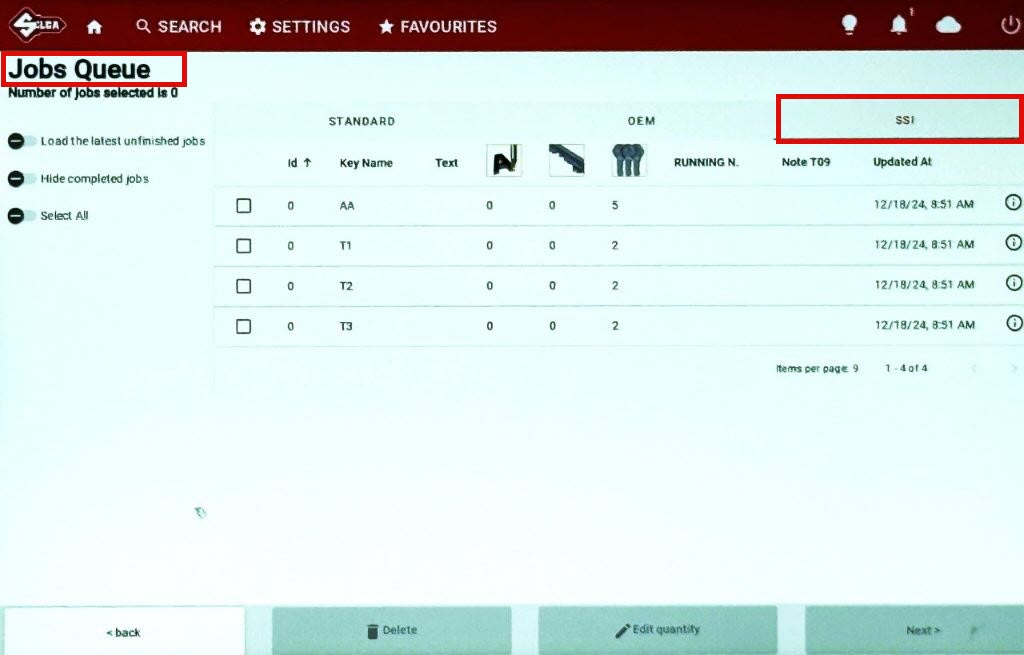
If you cannot see your downloaded job, make sure you are looking at the SSI queue.
¶ Setting the default machine queue
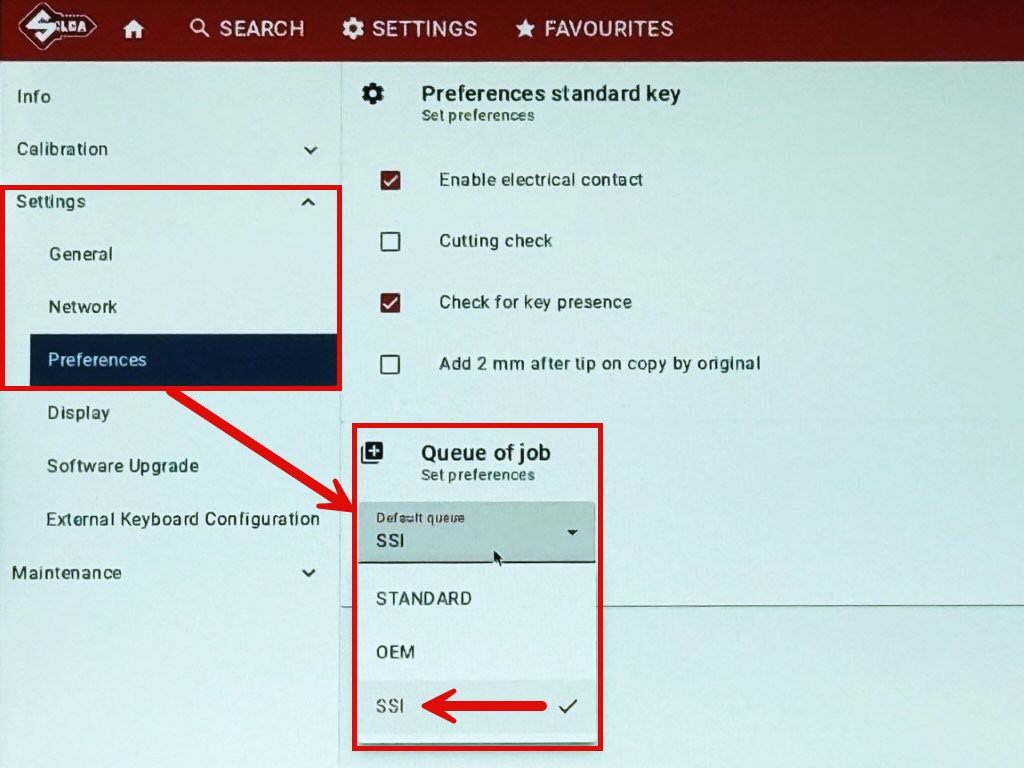
The machines have a setting for which queue is shown by default. You may wish to change this to "SSI" so that the SSI queue is shown instead of the Standard queue when you power the machine on.
Here is what it looks like in the machine settings: